Flight Computer (E6B)
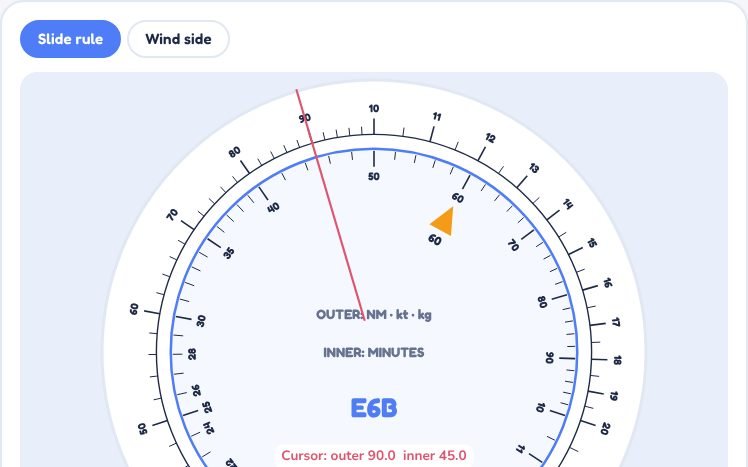
A circular slide rule for speed, time, distance and fuel, and the wind side for heading and groundspeed
Drag the inner disc to turn it, and drag on the outer ring to move the cursor line. The index triangle marks 60 minutes (1 hour).
Result
Flight Computer (E6B) is part of lifetime access
Log in if you already have lifetime access, or unlock all 53 simulators, the full question bank and every flashcard for ₹3,499.
Or try the free ones: Wind Triangle and Altimeter.
Your account is on the free plan. Unlock all 53 simulators, the full question bank and every flashcard for ₹3,499, once.
More Navigation simulators
Wind TriangleFreeCrosswind ComponentLifetimeUnit Converter & DrillLifetimePNR & Equal-Time PointLifetimeWhat to try
- Pick Distance, set a speed and a time, and press Set the computer to watch the disc turn and the answer line up.
- Drag the inner disc yourself, and drag on the outer ring to move the red cursor line.
- Try Convert to turn kilometres into nautical miles, or US gallons into litres, on the same scales.
- Open the Wind side, press the five steps in order, and see how the wind dot gives heading and groundspeed.
Exam point
The slide rule gives only the digits, so place the decimal point by estimating. On the wind side: wind dot on TAS, centre dot reads groundspeed, drift at the dot is the wind correction angle. Heading = true course + WCA (right is plus).
Study aid only. Figures here are simplified and fictional, so always use current DGCA and ICAO documents and the approved manual for real operations.