PAPI & VASI
Read PAPI and VASI lights on the approach, and explore airfield lights, runway width, markings and signs
Signs
PAPI & VASI is part of lifetime access
Log in if you already have lifetime access, or unlock all 53 simulators, the full question bank and every flashcard for ₹3,499.
Or try the free ones: Wind Triangle and Altimeter.
Your account is on the free plan. Unlock all 53 simulators, the full question bank and every flashcard for ₹3,499, once.
Practise the questions
Aerodromes, Lighting & Marking198 questionsRevise with flashcards
Aerodromes, Lighting & Marking23 cardsWhat to try
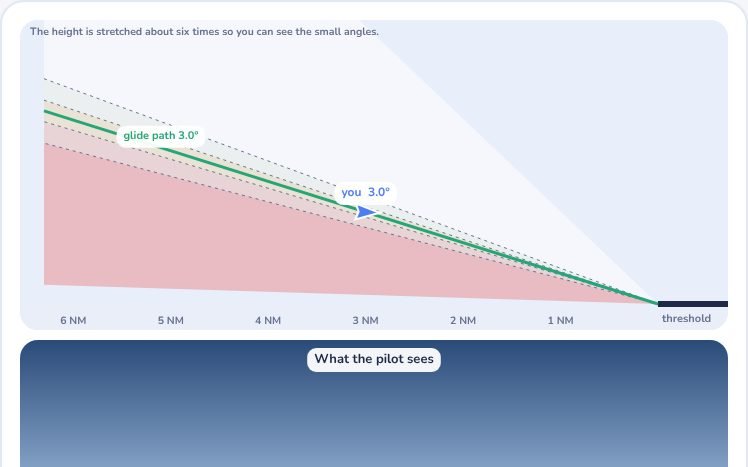
- On the first tab, drag the aircraft or move the angle slider and read the PAPI lights as you go above and below the path.
- Switch to VASI and compare red over white, white over white and red over red.
- Open Airfield lights and fly the approach. Switch off groups of lights to see what each one does, and change the runway width.
- On the Plan tab, look at the markings, the holding position pattern and tap each sign to see its meaning.
Exam point
PAPI: two white and two red is on slope. More white means higher. VASI: red over white is on slope. Colour code of lights: white approach, edge and centreline; green threshold and taxiway centreline; red end and stop bar; yellow caution zone; blue taxiway edge.
Study aid only. Figures here are simplified and fictional, so always use current DGCA and ICAO documents and the approved manual for real operations.