Take-off Performance
See how weight, altitude, temperature, wind and slope change the take-off run, and whether it fits the runway
Take-off Performance is part of lifetime access
Log in if you already have lifetime access, or unlock all 53 simulators, the full question bank and every flashcard for ₹3,499.
Or try the free ones: Wind Triangle and Altimeter.
Your account is on the free plan. Unlock all 53 simulators, the full question bank and every flashcard for ₹3,499, once.
What to try
- Pick an aircraft, then raise the temperature and altitude and watch the density altitude and the take-off run grow.
- Add a tailwind or an uphill slope and compare the bars. Tailwind and weight are the two biggest enemies.
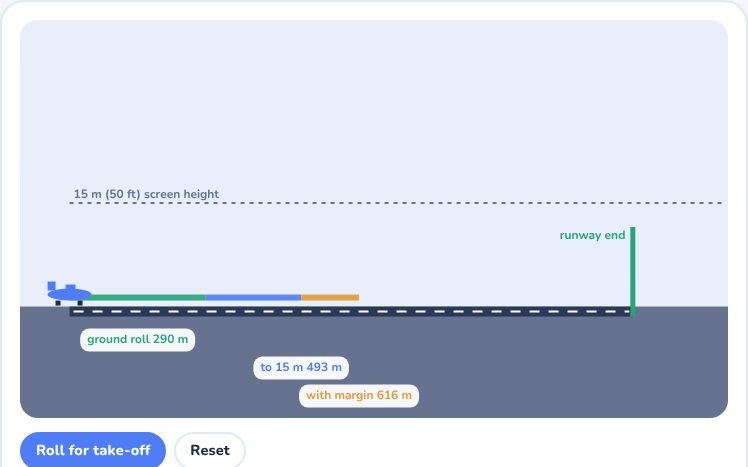
- Press Roll for take-off to see the aircraft use the run, lift off and clear the 15 m screen height.
- Change the safety margin and the runway length to see when the answer flips from fits to does not fit.
Exam point
Weight counts twice: a heavier aircraft needs more speed and accelerates more slowly, so the run grows with the square of the weight. Hot, high and heavy is the classic trap. Always use the flight manual for real figures.
Study aid only. Figures here are simplified and fictional, so always use current DGCA and ICAO documents and the approved manual for real operations.