A320 ECAM Page Reader
The E/WD and the system pages, then a failure drill: read the title, do the actions in order, clear the message and check STATUS.
ECAM control panel: system pages
Page
Failure drill
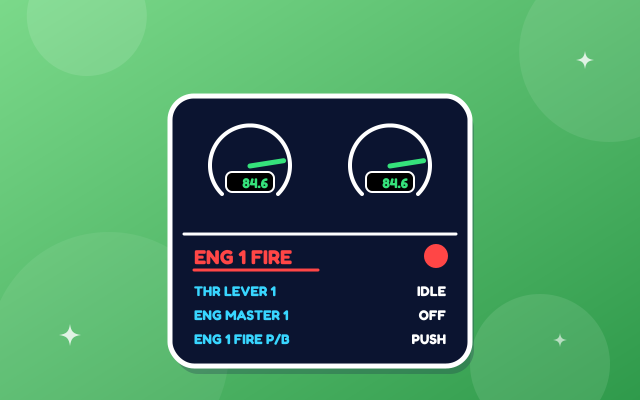
Pick a failure. Do the ECAM actions in order by clicking each line on the E/WD or in the list below, then press CLR and STS.
Test yourself
A320 ECAM Page Reader is part of lifetime access
Log in if you already have lifetime access, or unlock all 63 simulators, the full question bank and every flashcard for ₹3,499.
Or try the free ones: Wind Triangle and Altimeter.
Your account is on the free plan. Unlock all 63 simulators, the full question bank and every flashcard for ₹3,499, once.
Practise the questions
Displays and warnings12 questionsFire protection and oxygen11 questionsElectrical12 questionsRevise with flashcards
Displays and warnings4 cardsFire protection and oxygen2 cardsElectrical5 cardsWhat to try
- Open each system page with the buttons below the screens. The notes beside them say what each value means.
- Start a failure from the Failure drill. Watch the title colour on the E/WD and the system page that comes up on the SD.
- Do the actions in order by clicking them, then press CLR and STS. Try pressing CLR too early.
- Press RCL to bring a cleared message back, and answer the quiz questions, including the ones that show a page.
Exam point
Fly first, then read the ECAM. The title tells you the system and the problem. Do the actions in the order shown, clear with CLR, then read STATUS for what you have lost. Red needs immediate action, amber is a caution, blue lines are actions. The wording here is simplified, so follow your own ECAM and FCOM.
Study aid only. This is original teaching material, not Airbus or Boeing documentation. Layouts, values and procedures are simplified and can differ by aircraft version and operator, so always check your FCOM, QRH and course notes.